Tree Shade v1.0.0 (or "Chi fa da sé fa per tre")
From the portfolio: Tree Shade
The Italian saying Chi fa da sé fa per tre — literally “who does it himself does the work of three,” and in sense “if you want something done, do it yourself” — has rarely felt this accurate.

Yesterday I was starting a new Ada project and decided I wanted a better IDE than VS Code / Cursor. They work, but they feel clunky to me, and getting a comfortable setup always seems harder than it should. So I switched to my favourite IDE: JetBrains Rider.
The only problem? Rider is meant for C# / .NET, not Ada. I did not give up. After a few attempts I had something pretty much ready: compile worked, syntax highlighting worked, and I could even talk to Cursor over ACP (Cursor ACP in Rider). How I got there is a post for another time.
All good. Except one thing. In Rider’s folder view I could not hide the folders I do not want to see: bin, obj, alire, and friends. I spent around three hours with Google and Gemini, both cheerfully gaslighting me that what I wanted was absolutely possible. Gemini kept sending me to How to hide bin/obj directories in Solution Explorer, which is about the Solution explorer and does not really help when you are staring at a raw File System tree. I eventually stumbled on an eight-year-old JetBrains feature request — Scopes not available on solution explorer — for exactly this: applying scopes (or the same idea) to that view. Something that is, honestly, surprisingly easy in VS Code: just hide some files and folders.
Still, I did not give up. Rider is IntelliJ-based, so it supports plugins. I opened Cursor and asked it to create a new Rider 2026.2 plugin. After a few iterations, something actually worked. That something is Tree Shade.
The name is not subtle: Rider’s File System view is a tree, and the plugin puts some of that tree in the shade — files and folders you would rather not look at.
What it does
Tree Shade v1.0.0 hides folders and files by exact name in Rider’s File System explorer and Solution explorer. What remains is sorted folders first, then files, each group alphabetically (case-insensitive). Settings are per project and live in treeshade.xml. It is on the JetBrains Marketplace.
Out of the box it hides:
-
Folders:
bin,obj,lib,.vscode,.idea -
Files:
.DS_Store
Add alire (or anything else you do not want in the tree) yourself.
Screenshots
Click a shot to open a larger view.
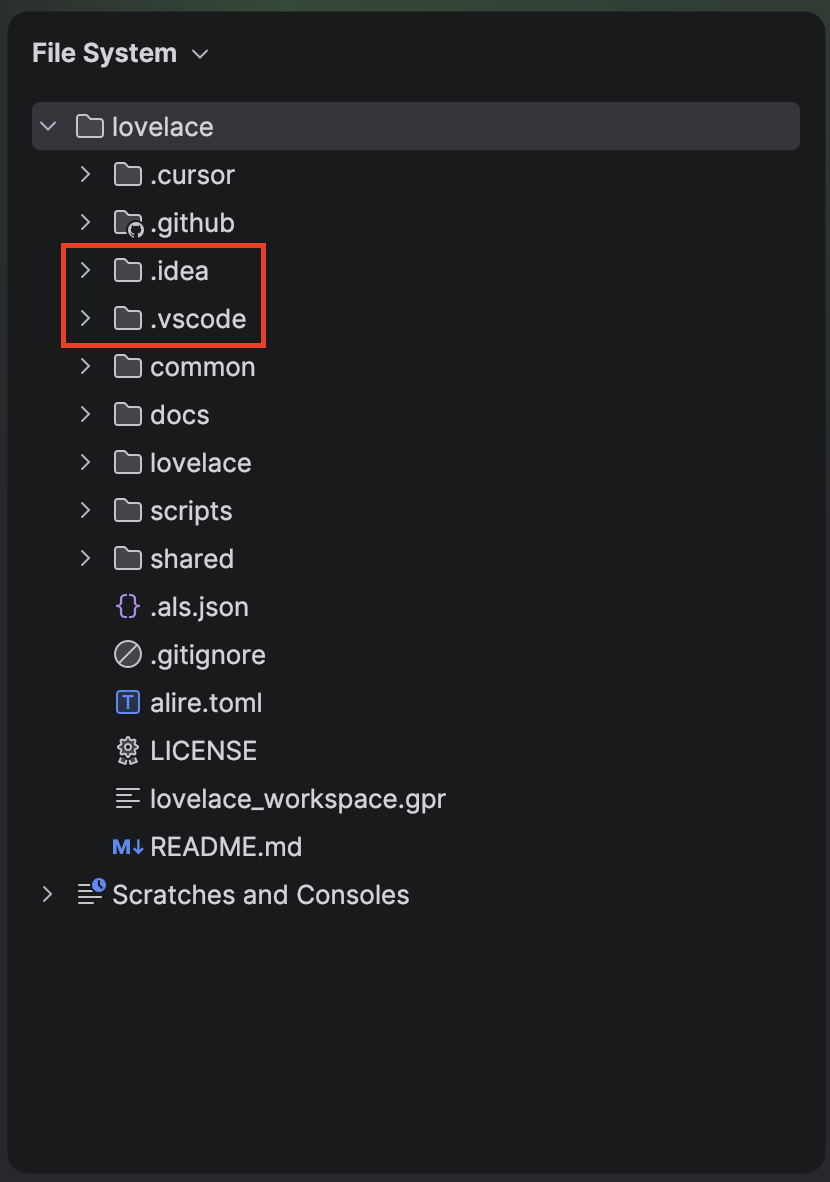
.idea and .vscode still in the tree.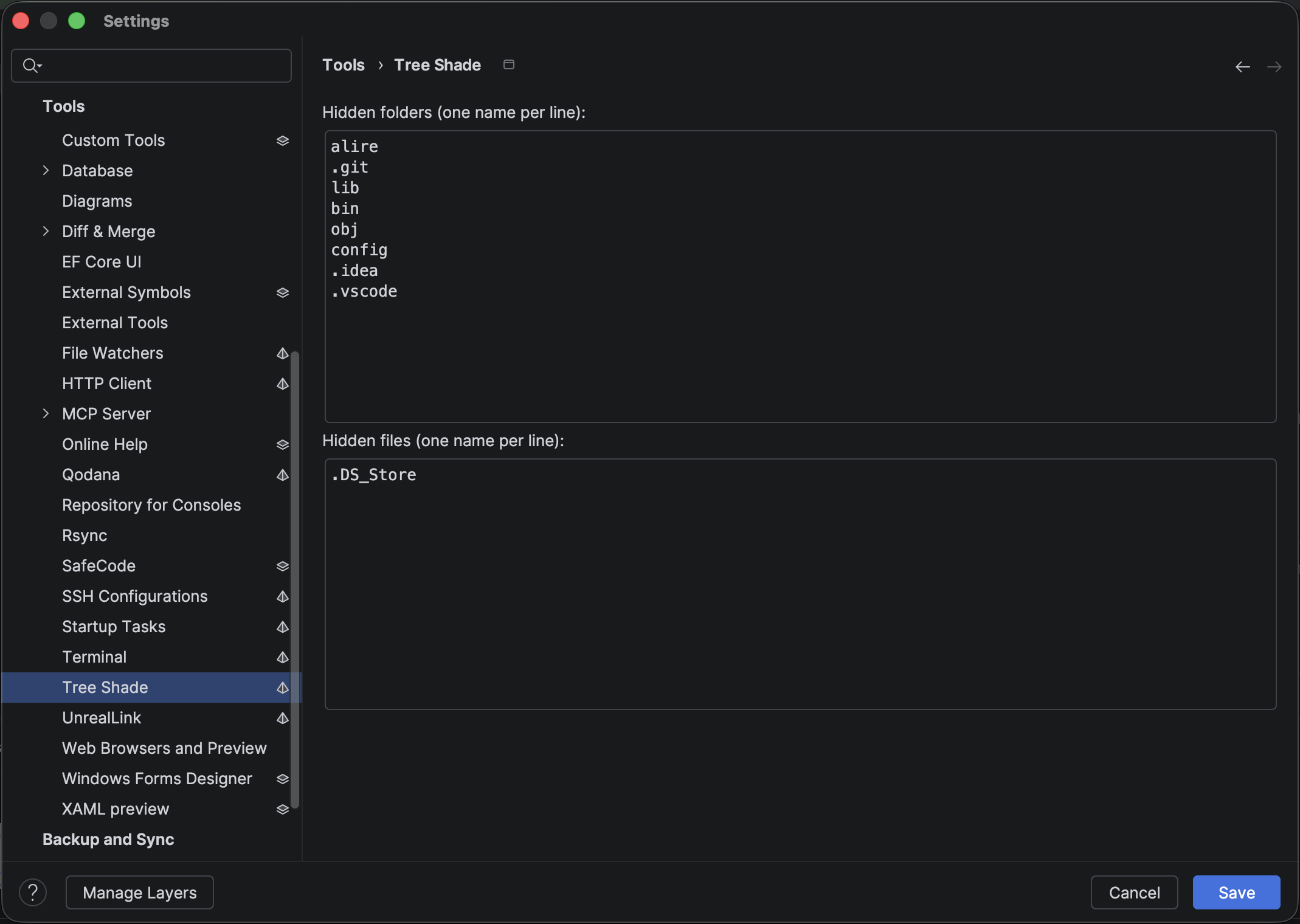
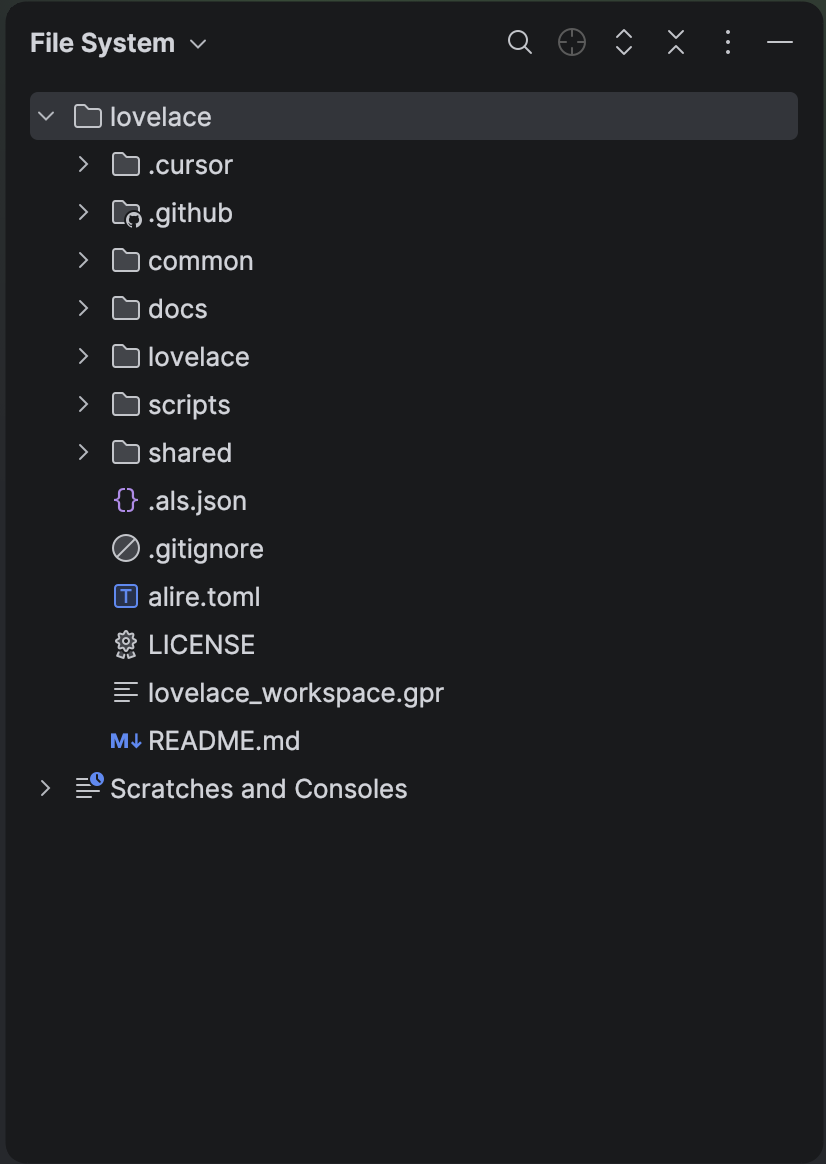
How to set it up
- Install from the JetBrains Marketplace, or download the zip from the GitHub 1.0.0 release and use Settings → Plugins → ⚙ → Install Plugin from Disk…, or build your own zip with
gradle buildPlugin, or just click the following box. - Restart Rider if prompted.
- Open Settings → Tools → Tree Shade.
- Enter one name per line for hidden folders and hidden files. Names match the entry name only, not a full path. Apply, and the project view refreshes.
It needs Rider build 262+ (I developed it against Rider 2026.2).
What’s next
This is a basic version. It can grow later — regular expressions, wildcards, that sort of thing. For now it is enough to let me work in Rider with Ada without drowning in build output. Sometimes the shortest path really is to do it yourself.
— Made withCursor